audiO'H · VST3 instrument · Free
Reverse Bloom
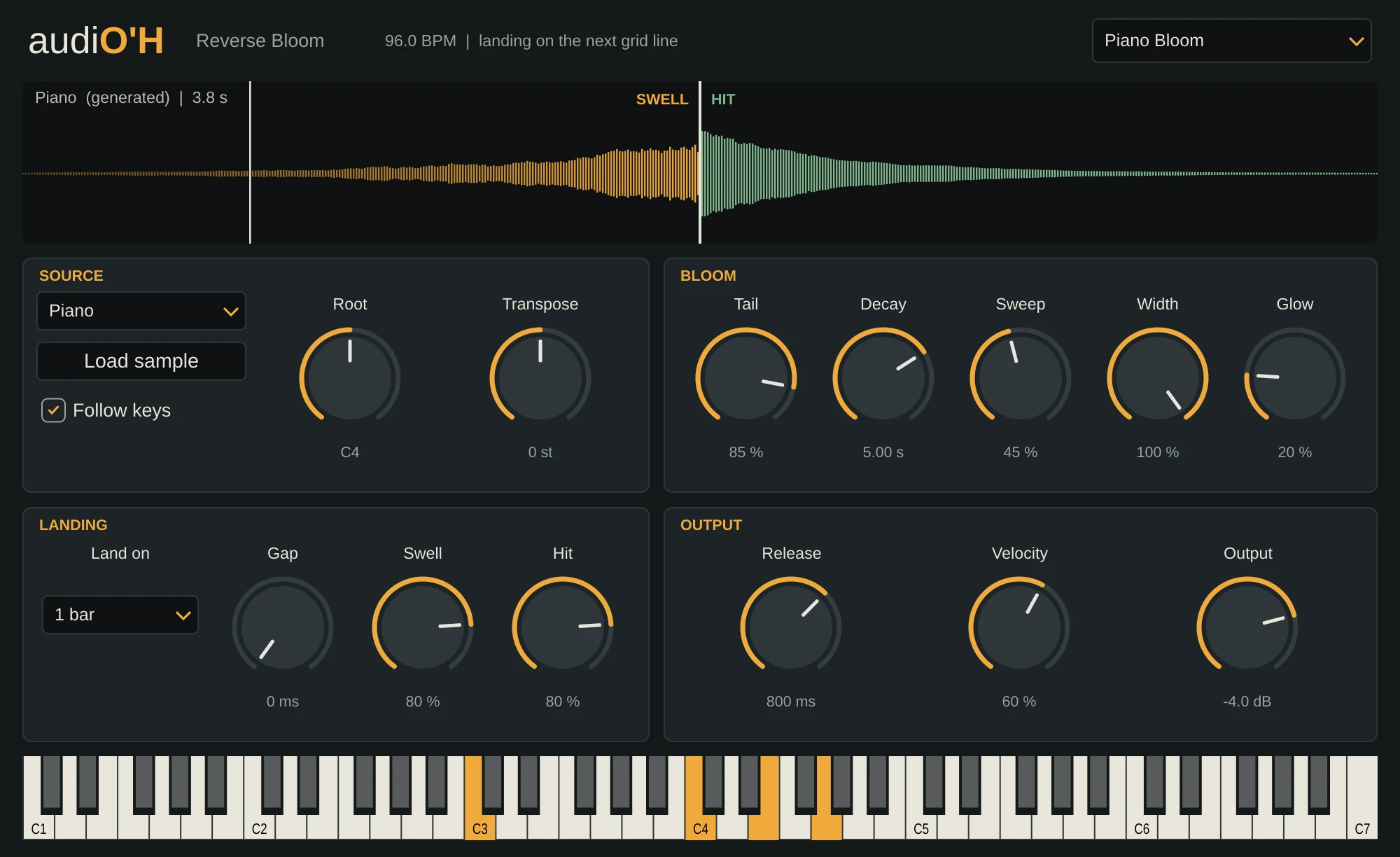
Reverse swells that land exactly on the beat. Press a key and the sound breathes in backwards, then hits on the next bar, beat or 16th note, in time with your song. No more reversing samples by hand and nudging them until the end lines up.
Hover over any control to see what it does. On a phone, tap it.
What it does
Reverse Bloom builds a swell from your sample's own tail, plays it backwards, and starts the sample itself right on the grid line. Draw a note at the start of bar 8 and the swell fills bar 8, with the hit landing on the downbeat of bar 9.
It works on anything: a piano chord becomes a reverse piano swell, a snare becomes a reverse snare rush, a vocal becomes a breath in. Even a short drum hit swells, because the plugin renders a long tail for it.
- VST3 · Windows
- 16 voices
- 12 presets
- Follows tempo and time signature
Key features
- Lands on the next 1/16, 1/8, 1/4, 1/2, 1 bar, 2 bars or 4 bars, following your song's tempo and time signature.
- A note lifted before the landing still lands and plays the whole hit, so you can draw notes any length.
- Tempo changes during a swell stretch what's left of it, so it still lands on the beat.
- Eight built-in sounds (Piano, Bell, Cymbal, Snare, Boom, Pluck, Voice and Glass), or load your own WAV, AIFF, FLAC, OGG or MP3.
- Silence at the start of your sample is trimmed, so the first real sound is what lands on the beat.
- Samples up to 30 seconds are saved inside your song.