audiO'H · VST3 effect · Free
Trisquash
Fuller and more even with one knob. Trisquash splits your sound into lows, mids and highs, then squashes the loud peaks and lifts the quiet detail in each one. Turn up Depth and a thin mix gets dense, a drum loop gets punchier, and a vocal stops jumping in and out.
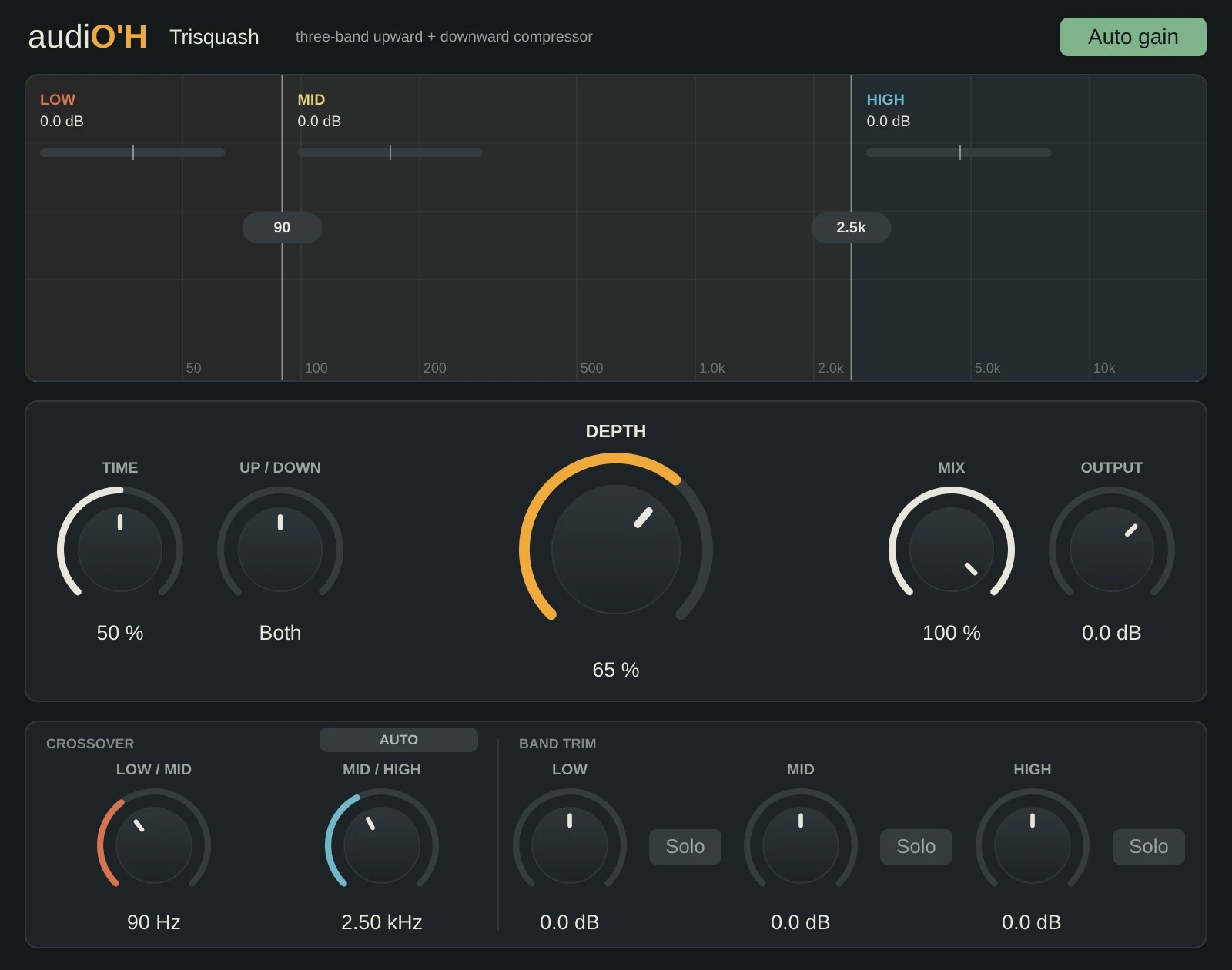
Hover over any control to see what it does. On a phone, tap it.
What it does
Most compressors only turn the loud parts down. Trisquash also turns the quiet parts up: reverb tails, room sound, the end of each note, the ghost notes in a groove. Doing both at once, in three separate bands, makes a sound feel bigger and closer without simply getting louder.
Put it on a full mix, a drum bus, a vocal or a pad. At 0% Depth it does nothing at all, so you can bring it in as gently as you like.
- VST3 · Windows
- 3 bands
- Upward and downward compression
- No latency
Key features
- One Depth knob does most of the work. The ratios and thresholds all follow it.
- Auto crossovers: play your track, click Auto, and it listens for about 5 seconds, then sets where the bands split to suit your sound.
- A live spectrum with crossover lines you can drag. Each band shows how much it's being lifted or squashed.
- Auto gain keeps the loudness matched as you turn Depth, so you hear the change in tone rather than a jump in volume.
- A Mix knob for parallel compression. The dry sound is phase-matched, so blending doesn't thin it out.
- Solo any band while you set the crossovers.